



How to Rename a Database in cPanel
1. Log in to your cPanel account.
2. In the Databases section, click on MySQL Databases.

3. Under Current Databases, you can see a list of all your databases. Locate the Database and then click on Rename.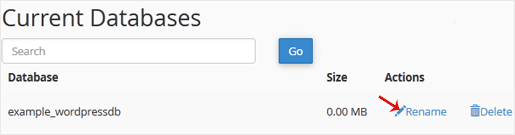
4. Change the database name and click on Proceed.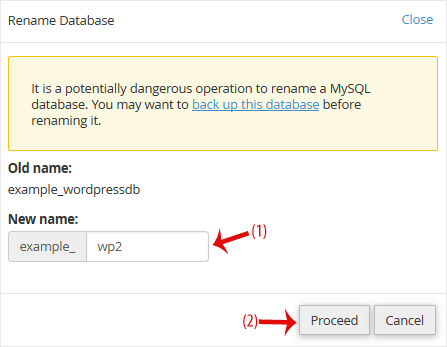
Was this article helpful?
Discussion
Loading the discussion…
Sign in to join the discussion.